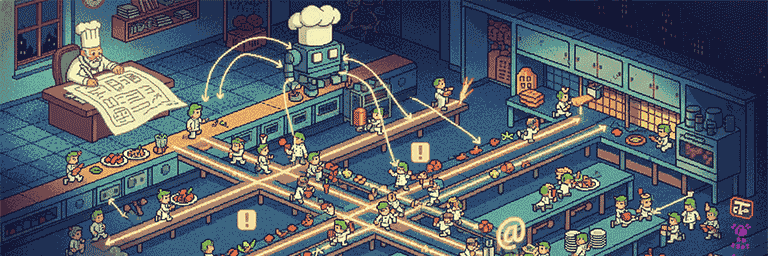
The Kitchen Chef's Guide to Taming Chaos
The empty stares I get when I try to explain what I'm working on… well, let's just say I've learned to recognize the precise moment someone mentally taps out, and I don't blame them.
So this article is my attempt to explain something complex in a simple, friendly way - no jargon, no tech-speak, just something intuitive and fun to read.
If you can handle the technical version without mentally checking out, here's the full deep-dive: 👉 geleto.github.io/posts/cascada-script-intro/
One of the things I'm working on is the Cascada language - not a general-purpose language for building apps, but a script your app uses to coordinate and automatically run in parallel lots of interconnected tasks.
Modern software isn't just doing one thing at a time anymore - it might clean up raw data, split it into multiple chunks for parallel processing, send each chunk to an AI to extract insights, use the results to create summaries, and then generate a polished final deliverable - all while, at the same time, sending real-time alerts to users and updating dashboards. Run all of that step-by-step, and suddenly you're waiting minutes instead of seconds.. With Cascada You write simple, in-order, sequential logic, and it automatically runs independent tasks in parallel while guaranteeing every step happens exactly when its input data is ready.
Most people understand cooking better than concurrency, so why not explain Cascada using cooks, ingredients, and a world-class restaurant kitchen that keeps everything running in harmony?
Aprons on - let's step into a kitchen during dinner rush and see how this works...
The Problem: The Overwhelmed Chef

Imagine a kitchen with a talented Head Chef working alone. He's skilled, but he does only one thing at a time - and it's painfully slow. And it gets worse... modern kitchens (and modern applications) aren't preparing single meals - they're handling dozens of simultaneous orders.
He is receiving shipments, checking multiple suppliers, cooking - all while trying to get food out fast.
It's a mental nightmare. What you really need is a system that can handle massive parallelism while automatically understanding what must wait for what.
The Naive Fix: Hire More Cooks
So the Chef tries the obvious solution: hire more cooks and divide the work.
An order arrives for a full five-course banquet for twelve guests. The chef assigns each course to a different cook: "Everyone start now - we need this done at the same time!" All five cooks rush to begin simultaneously. It should be beautifully parallel.
Except:
The truffle oil hasn't arrived yet, but Cook A is already frantically searching for it to start the risotto. Cook B fires up twelve steaks at once - three medium-rare, six medium, three well-done. The first few finish perfectly seared, then sit... cooling on the counter, losing their heat and their magic... while he waits for the last well-done steaks to catch up. And because everyone started at the exact same moment, all five cooks need the oven at precisely 6:15pm.
They stand there, waiting their turn. The oven becomes a bottleneck.
Meanwhile, the salad cook finishes in 8 minutes but sits idle for the next 30 while waiting for the entrées. The dessert cook started making soufflés immediately... which collapse by the time the main course is finally ready.
The problem? Dividing the work seems parallel, but it ignores reality - what the kitchen needs isn't just dividing work among cooks - it needs intelligent orchestration that starts each task exactly when its ingredients are ready and naturally spreads all available work.
The Solution: The Cascada Kitchen Manager
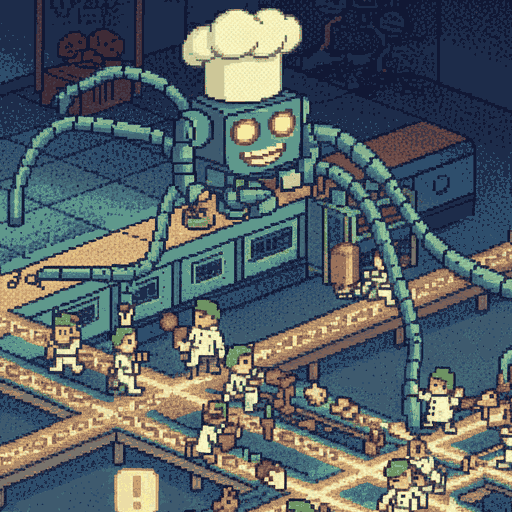
Now, imagine a completely different kitchen. Here, the Head Chef's job is not to manage, but to design.
He sits down in a quiet office and writes out the entire, complex banquet recipe. And here is the most crucial part: he writes it just as he always has, in a simple, sequential, top-to-bottom list of steps. It looks and feels like any other recipe he's ever written.
But this simple-looking recipe is incredibly powerful because it's a smart, adaptable plan. The Chef can include rules, choices, and logic as part of his normal, sequential writing:
- "If the season is Winter, use the root vegetables. Otherwise, use the summer squash."
- "For each of the 12 dinner orders for the main party, prepare one beef medallion to the customer's requested temperature."
The recipe isn't a rigid checklist - it's a flexible blueprint that responds to real-world conditions.
Once this smart, yet familiar-looking recipe is written, his main job is done. He hands it to a brilliant Kitchen Manager (that's Cascada) and can go relax.
The Manager doesn't just read a fixed list. He interprets this smart recipe in real-time, as things are happening. He checks the calendar, sees the 12 orders, understands the client's needs, and then executes the Chef's simple, sequential logic with maximum parallelism, handling all the complexity himself.
Understanding Ingredient Dependencies
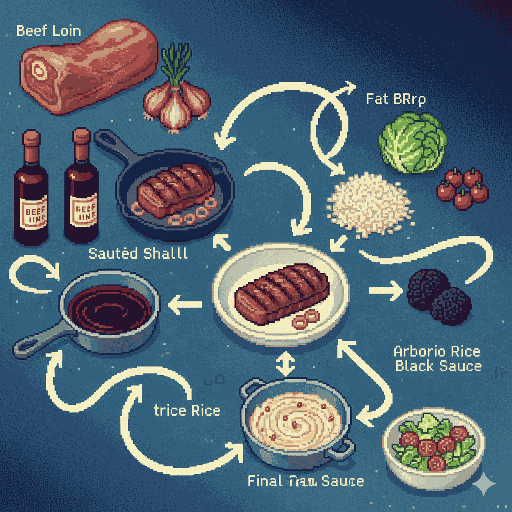
The Kitchen Manager is smart enough to handle dependencies within this dynamic logic automatically. Imagine the recipe calls for a final pan sauce, which requires three things: the pan the beef was seared in, some sautéed shallots, and the reduced red wine.
He orchestrates a multi-part ballet:
- He has Assistant D searing the beef.
- Simultaneously, he has Assistant E sautéing shallots.
- And at the same time, Assistant F is reducing the wine.
- He then tells a final assistant, Assistant G: "Stand by. You cannot start your job until the beef is done, the shallots are ready, AND the wine is reduced. The moment all three are finished - no matter the timing - you will combine them to create the final sauce."
While Assistant G is waiting for these multiple inputs, the rest of the kitchen is not waiting with him! Other dishes are being prepped, other sauces are being reduced. This automatic waiting - without blocking anything else - is the fundamental principle that makes the system so efficient.
The Chef never wrote "wait for the beef" or "check if the shallots are ready." He just wrote the recipe in order. The Manager figured out the dependencies automatically.
When Order Matters (!)
In our kitchen, dozens of things happen at once - rice simmering, sauces reducing, plates going out.
But sometimes, one particular part of a dish must follow a very specific sequence.
That's what the ! mark is for.
It tells the Kitchen Manager: "For this dish or this component, follow these steps in order - no reordering, no overlap - while everything else runs freely in parallel."
For example:
Risotto! Toast the rice in olive oil until translucent.Risotto! Add a ladle of stock and stir until absorbed.Risotto! Repeat until the rice is just al dente.- (Meanwhile, other cooks are grilling steaks, prepping salads, and making desserts...)
Risotto.sauce! Reduce the white wine base.Risotto.sauce! Whisk in butter, then finish with grated parmesan.Risotto! Combine the sauce and rice, season, and plate.
Whenever the Manager sees a ! on risotto, they assign one cook to perform those risotto steps in the exact written order.
When they see risotto.sauce!, another cook handles those sauce steps sequentially - only the sauce follows that order, not the entire dish.
Think of Risotto! and Risotto.sauce! as two separate assembly lines - each runs its own steps in order, but the two lines operate independently and in parallel with each other. Everything else in the kitchen continues running independently as well.
The ! doesn't make the kitchen slower - it simply ensures that for that component, each step happens exactly in sequence, while the rest of the kitchen stays fully concurrent.
The final combining step automatically waits for both the rice sequence and the sauce sequence to complete - that's the Manager's automatic dependency tracking at work.
(And if the recipe ever went deeper, say risotto.sauce.topping!, the same idea would apply - each level keeps its own internal order without blocking anything else.)
The Final Pass: Plating Station (@)
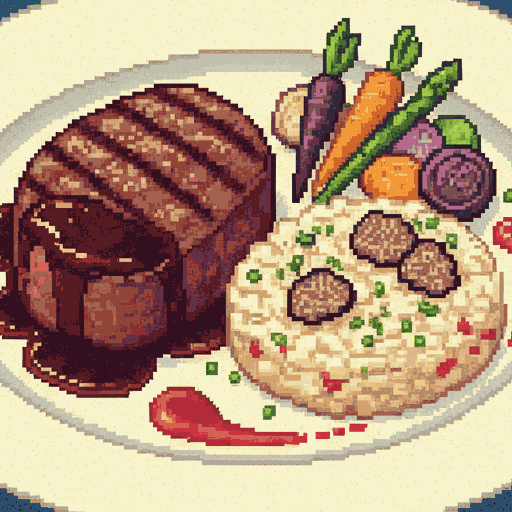
Here's a challenge: In our chaotic parallel kitchen, dishes finish in unpredictable order. The beef for Table 5 might be done before Table 3's. The garnish might arrive before the protein. How do you ensure every plate that leaves the kitchen is perfect and consistently presented?
The Chef solves this with the @ symbol, which marks items for the final pass plating station - a dedicated area where one master plater assembles each dish only after ALL its components are ready.
Throughout the recipe's logic, you might see lines like this:
- Beef Medallion @ Place in the center of the plate.
- (Logic to determine which vegetable to cook based on season...)
- Vegetable @ Arrange artfully next to the medallion.
- (More parallel cooking of sauces, sides...)
- Pan Sauce @ Drizzle over the medallion.
As the Manager interprets the recipe's dynamic logic - perhaps preparing 12 plates because there are 12 guests - he collects every @ instruction he encounters and puts it on a special clipboard. During execution, he notes each @ instruction on his clipboard as he encounters it in the recipe.
Only after every single cooking and preparation step in the entire recipe is complete does the Manager hand that clipboard to the final plating station. The plater then reads the @ instructions one-by-one, in the exact order they were collected, and assembles each perfect plate.
This ensures that even though the kitchen is running 50 orders simultaneously with components finishing in chaotic order, every dish that goes out is assembled with perfect consistency and care.
The Domino Effect: Handling Kitchen Disasters
A perfect recipe assumes a perfect kitchen, but in reality, things go wrong. An oven breaks. A key ingredient is missing. An assistant calls in sick.
Traditional kitchens panic - the whole operation can grind to a halt. But the Cascada Manager handles disasters with what's called error propagation - a controlled ripple effect that contains problems without stopping the entire kitchen.
Imagine someone discovers the truffles that arrived this morning are actually expired and can't be used. The Manager immediately marks Truffles as "contaminated" - or in Cascada terms, "poisoned" (we use this word figuratively to describe how one bad piece of data makes everything depending on it unusable too). This contamination then flows through the dependency chain: the Truffle Risotto, which needs those truffles, automatically becomes "unavailable" as well.
Crucially, the assistants making the steak and salad are unaffected. They never needed truffles, so they continue working at full speed. The problem is perfectly contained.
Three Ways to Handle Disasters
The Head Chef has powerful options for dealing with unavailable items:
1. Intervene Immediately: The moment the truffles become unavailable, a contingency plan can trigger automatically: "Send an assistant to the specialty market to buy more!" If they succeed, the problem is solved and the risotto is back on track. This is perfect for retrying failed operations.
2. Substitute Gracefully: The recipe itself can have a backup plan built in: "If fresh truffles are unavailable, use high-quality mushroom duxelles instead." The Manager sees this, makes the substitution, and the problem is stopped before it spreads.
3. Check and Adapt Later: You can also do nothing immediately. The risotto simply remains "unavailable." Later, you can check its status and decide how to proceed. Maybe you offer the customer an alternative dish. Or perhaps the truffles finally arrive from a backup supplier - in which case you can restart the risotto preparation with the fresh ingredients. The choice of if, when and how to handle the problem is always yours.
The beauty is that unavailability doesn't cause crashes or confusion - it's just information that flows through the system, letting you respond at the right moment.
The Takeaway: Effortless Parallelism
You write as if every step were a single, simple action. Yet beneath the surface, the system runs a perfectly choreographed symphony of parallel work.
That's the quiet power of being implicitly parallel by design.
Learn More and Try It Yourself
🚀 Cascada Script Introduction - A more technical introduction to Cascada Script's syntax, features, and how it solves real async programming challenges
📖 Cascada Script Documentation
🤖 Casai - an AI orchestration library built on Cascada for effortless, parallel agent and workflow design.
⚡ Try it now:
npm install cascada-engine